
Spring VPN — Fresh Every Day
Baopeng InformationEvents
4.41.00 Reviews
- Version
- 4.0.0
- Installs
- 100.00K
- Age Rating
- Everyone
Screenshots

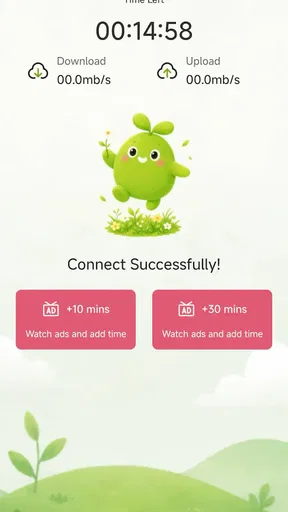
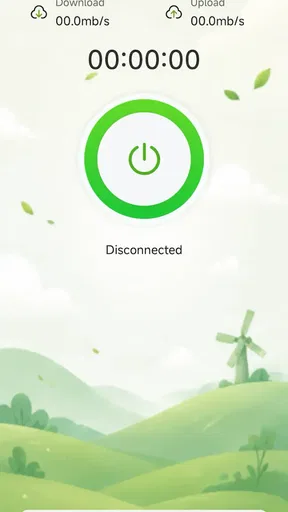
Our Review of Spring VPN — Fresh Every Day
 Analysis by Appyee
I approached Spring VPN — Fresh Every Day as a practical connection tool rather than a flashy utility. It belongs to the Events category, although its short store description, “Spring VPN,” makes its purpose clearer than that classification does: this is an app intended to sit between your device and the internet when you want a VPN connection. My main interest was not whether it sounded appealing, but whether it felt sensible for ordinary browsing, travel, public Wi-Fi, and moments when a connection needs to recover without too much fuss.
The app is free, aimed at Everyone, and comes from Baopeng Information. It has passed the early trial stage with over ten thousand installs, and the current release is version four. I used those details as context, not as proof that it will suit every phone or network. A VPN can feel quick on one connection and sluggish on another, so the useful question is where this particular app fits in a normal day and where expectations should stay modest.
How Spring VPN feels in everyday use
The first thing I noticed is that a VPN changes the character of a connection even when the app itself looks simple. There is an extra step between the device and the destination, so speed depends on the route, the server available to the app, the local network, and the service behind it. That means I would not install Spring VPN expecting it to make an already-good mobile connection faster. I see its value in changing how I connect, not in magically improving the underlying network.
For light tasks, that distinction matters. Reading pages, checking messages, opening a map, or handling a short online form are the kinds of activities where a small delay is easier to tolerate. In those situations, I prefer a VPN that stays out of the way, and Spring VPN’s straightforward identity makes it approachable for someone who does not want to study a long list of technical settings before getting started.
I would be more cautious with speed expectations during sustained activity. Video calls, large downloads, cloud backups, and high-quality streaming are much less forgiving of route changes or congestion. Even if the app connects promptly, the connection can still feel slower once traffic is passing through a VPN. My advice is to test the actual service you need after connecting, rather than judging performance from the first successful connection.
A useful habit is to connect before opening the sensitive or location-dependent service you intend to use. That avoids beginning a session on your normal connection and then switching routes halfway through. I also like to keep a simple comparison in mind: check whether a page loads normally without the VPN, connect Spring VPN, and then try the same page again. This is not a laboratory test, but it quickly tells me whether the current network and route are comfortable enough for the task.
Where the app makes sense during busy moments
The most realistic use case for me is a short stay in a café, hotel, airport, library, or shared office. I might need to read work messages, review a document, or log in to a service while using a network I do not manage. In that moment, Spring VPN is useful as a quick privacy-minded layer, provided I remember that a VPN is not a substitute for strong passwords, careful links, or sensible account security.
Another practical scenario is travel. When I move between home Wi-Fi and mobile data, connection behavior can change abruptly. A VPN may need to reconnect when the network changes, and that is where recovery becomes more important than peak speed. I would not assume that every handoff will be seamless. Instead, I would check the VPN state before sending an important file or joining a meeting, especially after leaving a building or moving from Wi-Fi to cellular service.
Heavy-use moments expose the trade-off more clearly. If I am downloading a large file, watching a long stream, or using a video meeting, a route that is fine for browsing may become frustrating. The app may not be the only cause: the public network may already be crowded, and the VPN route may add another source of delay. Spring VPN is therefore better suited to occasional protection and ordinary access than to demanding, uninterrupted traffic where every second matters.
I would also avoid turning it on automatically for every activity without thinking about the consequences. Some services react badly when the apparent connection location changes, and some websites may ask for another sign-in. If a particular banking, workplace, or regional service is essential, I would test that service first and keep a non-VPN fallback available. This is one of the less obvious costs of convenience: a connection can be more private in one sense while becoming less predictable to a service that expects a familiar route.
Stability, reconnecting, and what I would monitor
Stability is not just the ability to connect once. For me, it includes what happens when the phone sleeps, the app is left in the background, Wi-Fi weakens, or mobile data takes over. I would pay attention to whether the connection remains available after those transitions and whether the app makes it obvious when the VPN is no longer active. A quiet failure is more troublesome than a visible disconnect because I might continue browsing under the wrong assumption.
My practical workflow is simple: connect, wait for the status to settle, use the service I need, and check again after a network change. If a page suddenly stops loading, I first determine whether the underlying internet connection works without the VPN. That separates a general network problem from a VPN-route problem and prevents me from repeatedly restarting the wrong thing.
Recovery should be treated as part of normal use rather than as an exceptional failure. I would try reconnecting once, then switch networks or temporarily disconnect if the problem appears tied to the current route. Repeatedly tapping connect without checking the network can waste time and make a busy public connection feel worse. Spring VPN is most convenient when it can return to a usable state quickly, but my recommendation remains to verify the result rather than trusting an icon alone.
There is also a privacy habit worth keeping: when I finish using an untrusted network, I disconnect deliberately and close the task that required the VPN. That gives me a clear endpoint and avoids leaving a connection active when I no longer need it. Conversely, if I am moving around with a task still open, I check the state after each handoff. This small routine is more valuable than expecting the app to solve every transition automatically.
Because the app is free, I would be especially careful about reading its on-screen prompts and checking what I am agreeing to during setup. Free access can be attractive, but it should not lead me to ignore privacy choices or install behavior. I would grant only what appears necessary for the intended operation and remove the app if its behavior does not match my expectations. That is good practice for any VPN, including this one.
Phone compatibility and everyday resource demands
Spring VPN supports Android seven and later, so it is not restricted to only the newest phones. That broad compatibility is helpful if I am setting up an older spare device for travel or using a phone that has not received recent hardware upgrades. Still, operating-system support does not guarantee identical performance across all devices. A newer phone may handle background networking more comfortably, while an older model may be more sensitive to battery use, memory pressure, or aggressive background restrictions.
VPN applications generally need to remain involved in network traffic, which can have a greater effect on battery than a utility that only opens occasionally. I would watch battery behavior during the first day rather than assuming the impact is negligible. If the phone is already struggling to last through a long trip, I would use the VPN for the specific tasks that need it instead of leaving it active continuously.
Older Android devices can also be more aggressive about stopping background apps. If the connection disappears after the screen has been off, that may be a device-management issue rather than a simple speed problem. My approach would be to check the phone’s battery and background controls, then test again. I would not change every system setting blindly, because keeping an app alive all the time may consume more power than the benefit justifies.
Storage and interface simplicity matter too. A small, focused VPN app is easier to live with than a crowded tool that constantly asks me to manage technical choices. At the same time, simplicity can mean fewer visible controls for diagnosing a difficult connection. If I need detailed server selection, advanced routing, or fine-grained application rules, I would look toward a more specialized VPN service instead of expecting this app to behave like a professional network-management suite.
The Everyone content rating makes it approachable for a broad audience, including people who are unfamiliar with VPN terminology. I would still explain the basics to a less technical family member: the app can change the route used for internet traffic, but it does not make every website trustworthy, prevent every form of tracking, or guarantee anonymity. That distinction is important because the friendly presentation could otherwise encourage more confidence than the technology deserves.
Spring VPN compared with the usual alternatives
The most obvious alternative is using no VPN at all. On a trusted home network, that may be the simplest and fastest choice for ordinary browsing. If I am not facing a specific privacy or network-trust concern, adding another connection layer may create friction without giving me a noticeable everyday benefit. Spring VPN makes more sense when the network itself deserves less trust or when I specifically want traffic to pass through a VPN route.
Another alternative is a browser-only privacy tool. That can be enough if my concern is limited to web browsing and I do not want other apps to use a VPN connection. Spring VPN is the more relevant choice when I need a device-level connection for activities beyond one browser, but I would still compare the two based on the task rather than assuming broader coverage is always better.
Paid VPN services are usually the stronger option for people who depend on consistent performance, predictable locations, extensive configuration, or support for demanding work. I would choose one of those for frequent international travel, regular video meetings over public networks, or a household where several devices need dependable coverage. The trade-off is cost and often greater setup complexity. Spring VPN’s free access is more appealing for occasional use, experimentation, or a backup role.
There is also a difference between a VPN and a security suite. A VPN can protect the route between the device and the VPN service, but it does not replace device updates, malware protection, account security, or careful handling of downloads. If my main concern is malicious software rather than network privacy, a dedicated security solution is the better match. If my concern is avoiding an untrusted local network, Spring VPN is closer to the problem I am trying to address.
Who should use it, and who should look elsewhere
I would recommend trying Spring VPN if you want a free, approachable VPN app for occasional browsing on shared networks and you are comfortable checking the connection yourself. It is a reasonable candidate for a spare phone, a travel kit, or a person who wants a simple first experience without committing to a paid service. The broad Android compatibility also makes it relevant to users with older supported devices.
I would not make it my first choice for someone whose work depends on uninterrupted calls, large transfers, or a stable route all day. I would also hesitate to recommend it as the only VPN for a family with several devices or for anyone who needs advanced controls and detailed troubleshooting. In those cases, a more established paid alternative may justify its cost through consistency and configuration options.
Before relying on it during a trip, I would install it at home, connect on Wi-Fi, repeat the test on mobile data, and try the services I expect to use. Then I would lock the phone, wait, and check whether the connection behaves as expected after returning. This preparation reveals more than a quick installation because it tests the exact transitions that often cause inconvenience.
My performance verdict is measured rather than enthusiastic: Spring VPN looks best as a lightweight, free option for short, ordinary sessions where convenience matters more than maximum throughput. I would judge it by how clearly it communicates connection status, how easily I can recover after a network change, and whether it stays manageable on my phone. I would not promise a particular speed or uninterrupted stability, because those depend heavily on the route and network around it.
After using it, I see the strongest case as a practical backup rather than an all-purpose replacement for a premium VPN. The app is easy to consider, costs nothing, carries an Everyone rating, and is maintained by Baopeng Information in its current version four release. Those points make it approachable, but they do not remove the normal VPN trade-offs around speed, battery, service compatibility, and reconnection.
My honest recommendation is to treat Spring VPN as a task-focused connection layer, not a promise of perfect privacy or faster internet. Use it when the situation calls for a VPN, test important services before depending on it, and keep a fallback for demanding work. For casual protection on an Android device running version seven or later, it may be a useful addition; for high-stakes reliability, I would choose a more specialized alternative.
Verdict
Strengths of Spring VPN — Fresh Every Day
- Simple interface makes connecting to a VPN quick and accessible.
- Useful for securing traffic on public Wi‑Fi networks.
- Can help reduce tracking from internet service providers.
- Lightweight design should have limited impact on device storage.
- Suitable for occasional browsing when basic VPN protection is needed.
Limitations of Spring VPN — Fresh Every Day
- Connection speeds may vary depending on server availability and distance.
- Free VPN services may offer fewer server locations than premium competitors.
- The app may require trust in its privacy and data-handling practices.
- VPN use can increase battery consumption during extended sessions.
- Some websites and streaming platforms may block VPN connections.
Similar Picks in This Category
View All
Easy Quran Mp3 Audio Offline
Muslim Worldapp4.7

Invitation Maker: Cards & RSVP
Greetings Island4.9

StubHub - Live Event Tickets
StubHub4.3

Fever: Events & Tickets
Fever Labs4.7

Epic Freebie Games Radar
Arioch Pds - Apps & Games4.4

Invitation card Maker, Design
Splendid App Maker4.9
Frequently Asked Questions
What is Spring VPN — Fresh Every Day, and what does it do?
Spring VPN — Fresh Every Day is a virtual private network app designed to route your internet connection through a VPN server. In practical use, it can help protect traffic on public Wi‑Fi, mask your visible IP address, and provide access to servers in different locations. It is mainly intended for everyday browsing and basic privacy, rather than replacing comprehensive device security software.
Is Spring VPN — Fresh Every Day free to use?
The app may offer free VPN access, although availability, server choices, connection speeds, advertisements, and usage limits can depend on the current version and subscription model. Before connecting regularly, check the in-app pricing screen and the store listing for trial terms, renewal details, and supported payment options. A free plan should not automatically be assumed to include every feature.
Does Spring VPN — Fresh Every Day keep logs or protect my privacy?
A VPN can encrypt the connection between your device and its VPN server, but the provider may still be able to process connection or usage-related information. Privacy protection therefore depends heavily on the company’s logging policy, jurisdiction, permissions, and data-sharing practices. Review the app’s current privacy policy before using it for sensitive activities, and remember that a VPN does not make you completely anonymous online.
Can I use Spring VPN — Fresh Every Day for streaming, gaming, or downloading?
Spring VPN — Fresh Every Day may work for ordinary browsing, messaging, and light media use, but performance can vary according to server distance, congestion, your network, and the selected location. VPN connections can increase latency, which may affect online gaming, video calls, or downloads. Streaming platforms may also block VPN addresses, so access to region-restricted content is not guaranteed.
Is Spring VPN — Fresh Every Day safe and easy to use on Android or iPhone?
The app is generally intended to provide a simple connect-and-browse experience: install it from the official app store, grant the requested VPN permission, choose a server if available, and connect. For safer use, download only from an official source, inspect permissions, keep the app updated, and avoid unofficial APK files. If the connection repeatedly fails, check battery restrictions, network compatibility, and the app’s support guidance.
